Facebook's new two-link limit: 6 ways businesses can still share their content
Facebook is rolling out restrictions that limit some business Pages to just two organic posts containing external links each month. Here's what it means, what you can do about it and a few practical workarounds worth testing.
Facebook is changing again
While Facebook remains an important marketing channel, the experience of managing a business Page has become increasingly complex. Between Meta Business Suite, Ads Manager and constantly changing features, there is a lot for businesses to keep up with.
And the latest change is another interesting development.
Meta is introducing restrictions that could limit some Facebook business Pages to just two organic posts containing external links per month, unless they pay for a subscription with a higher allowance.
Here are six practical approaches businesses can try.
What is Facebook's two-link limit?
Meta is progressively rolling out a limit on the number of organic posts and comments containing external website links that certain Facebook Pages can publish each month.
For affected Pages:
- Only two organic posts or comments containing external links may be allowed each month without a higher-tier subscription.
- Adding a website link in the first comment can still count towards the limit.
- Additional external links may appear as non-clickable text.
- Links to Meta-owned destinations, such as Facebook Events and Instagram, generally don't count.
- Paid advertisements are excluded from the organic link restriction (for now!)
Not every Page has been affected yet, and the restrictions may continue to evolve.
Six ways to work around Facebook's external link restrictions
1. Automatically send links through Messenger
Instead of including a website link in your Facebook post, invite people to comment with a specific keyword.
For example:
"Want to read the article? Comment LINK and we'll send it to you."
When someone comments with that word, an automated Messenger response sends them the link directly.
How to set it up:
- Open Meta Business Suite and select your Facebook Page.
- Go to Inbox and open Automations.
- Look for a comment-to-message automation.
- Select the post you want to use.
- Add your trigger keyword, such as LINK.
- Write a short Messenger response containing the website URL.
- Save and test the automation.
The availability and location of these settings may differ between accounts. If your Page doesn't have the feature, tools such as ManyChat provide similar functionality.
2. Make better use of your Facebook Page's action button and consider a link-in-bio page
Instagram has trained us to think differently about how we share links.
Rather than including a clickable link in every post, businesses often use a link-in-bio page, sometimes called an InstaLinks or Linktree-style page, to give followers access to multiple destinations from one link.
These pages might include links to your website, latest articles, products, booking pages, events and current promotions.
With Facebook introducing restrictions on external links, perhaps it's time to consider a similar approach.
Your Facebook Page has a main action button that can direct people to your website or another important destination. This isn't included in the reported monthly organic link allowance.
How to update your Facebook action button:
- Open your Facebook business Page.
- Find the main action button below your cover image.
- Select the option to edit the button.
- Choose an appropriate action, such as Learn More, Shop Now or Book Now, depending on what's available.
- Add your website or landing page URL.
- Save and test the button.
Consider creating your own links page
Rather than directing people to your website homepage, you could create a dedicated landing page that brings together your most important links.
For example:
- Latest news and articles
- Current offers and promotions
- Bookings or enquiries
- Upcoming events
- Featured products or services
- Contact information
You could use a third-party link-in-bio service or, preferably, create the page directly on your own website.
For example,
yourbusiness.com.au/links
.
Having this page on your own website gives you control over the content, branding and analytics, while encouraging visitors to explore your business further.
You can then use the same link across your Instagram bio and Facebook Page's action button.
The real opportunity here is to make one link work harder.
Instead of continually directing people to different URLs through Facebook posts, encourage followers to use your Page's action button to find your latest content.
It's a small change in how we think about sharing links, but it could become a useful part of your Facebook strategy.
3. Be strategic about your two monthly links
If you're restricted to two external link posts each month, use them for the content that's most important to your business.
This might be a major promotion, event, new service or campaign.
You can also feature an important post on your Facebook Page to give it greater visibility over time.
How to feature a post:
- Publish your post containing the external link.
- Open the post's three-dot menu.
- Look for the option to pin or feature it.
- Keep the post featured while it remains relevant.
Remember that featuring a post doesn't create an additional link allowance. It simply helps people find a link you've already shared.
4. Separate your paid advertising from your organic content
One thing worth understanding is the difference between creating an organic Facebook post and creating a paid advertisement.
When you're working in Meta Business Suite, it's easy to think of everything as simply Facebook content. However, organic posts and paid advertisements serve different purposes and can be subject to different rules.
Under Meta's reported two-link restrictions, paid advertisements are treated differently from organic posts.
Our recommendation is to separate your paid advertising strategy from your organic content strategy.
If you're planning a paid campaign that directs customers to your website, create and manage it through Meta Ads Manager rather than relying on an organic post that you subsequently boost.
What to do:
- Use Meta Business Suite to plan and schedule your organic Facebook content.
- Use Meta Ads Manager to create paid campaigns that direct customers to your website, products or booking pages.
- Avoid relying on boosted organic posts as a workaround for the link restrictions.
- Reserve your organic external links for content you particularly want to share with your followers.
- Monitor your Page's link allowance, particularly while Meta continues rolling out changes.
This approach also makes sense from a marketing perspective.
Organic content is an opportunity to build relationships, encourage conversations and engage your existing audience.
Paid advertising can focus on reaching specific audiences and driving measurable actions, including website visits, enquiries and sales.
Keeping the two strategies separate gives you greater control over your campaigns and how you use your available organic links.
5. Use Facebook's own features to keep people connected
Meta-owned destinations, including Facebook Events, Facebook Groups and Instagram, are generally excluded from the external link restriction.
For some businesses, this creates opportunities to share information in different ways.
For example, rather than directing people straight to an external website to learn about an event, consider creating a Facebook Event.
You can then share that event through your Facebook Page and encourage people to engage directly.
What to try:
- Create Facebook Events for workshops, promotions and community activities.
- Share relevant content from your Instagram account.
- Use Facebook Groups where you have an established community.
- Make sure your Page information and website details are up to date.
These options won't replace your website, but they can help you remain connected with your audience.
6. Include a QR code in your image
I've always been a little sceptical about QR codes appearing in social media graphics.
If you're viewing a QR code on your phone, how do you scan it with the same device?
As it turns out, most modern smartphones have ways to recognise QR codes directly from saved images.
On an iPhone:
- Take a screenshot of the QR code.
- Open the screenshot in Photos.
- Touch and hold the QR code or use the available image recognition feature.
- Tap the website link.
On Android:
- Take a screenshot or save the image.
- Open it in Google Photos or your gallery.
- Use Google Lens or your device's QR recognition feature.
- Open the link.
The exact steps vary depending on your phone.
You can also use Facebook Stories with link stickers, where available, or include a short, memorable website address in your graphics and videos.
For example, a short URL such as
yourbusiness.com.au/offers
is much easier to remember than a long address with several folders and tracking parameters.
What does this mean for small businesses?
Facebook is still a valuable marketing channel, but changes like this reinforce the importance of having a broader digital marketing strategy.
Your website, email database and direct customer relationships are assets you have greater control over.
Rather than relying entirely on Facebook to send people to your website, consider how your marketing channels can work together.
A few practical steps worth taking now include:
- Check whether your Facebook Page has been affected by the restriction.
- Review how often you're sharing external links.
- Update your Page's action button and website details.
- Consider testing Messenger automation for useful content.
- Make better use of organic content, Stories, Events and existing advertising.
- Continue developing your website and email marketing as long-term channels.
And most importantly, experiment with what works for your audience.
We're testing some of these approaches ourselves
Instead of simply reporting on the changes, we've decided to try a few ideas.
Our Facebook post promoting this article uses an automated Messenger response, and we've also included a QR code in the graphic.
We'll be interested to see how people engage with the different options and whether they're practical alternatives for small businesses.
After all these years working in digital marketing, there's still plenty to learn.
Thanks to Mari Smith and Social Media Examiner
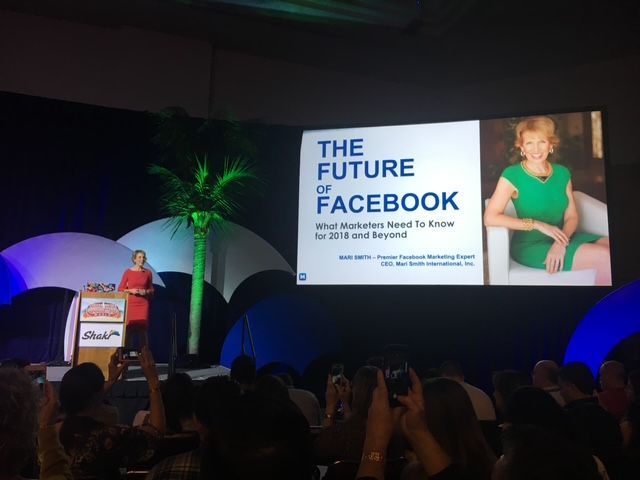
A few of our clients have been asking about Facebook's new link restrictions, so I knew exactly where to turn: Mari Smith.
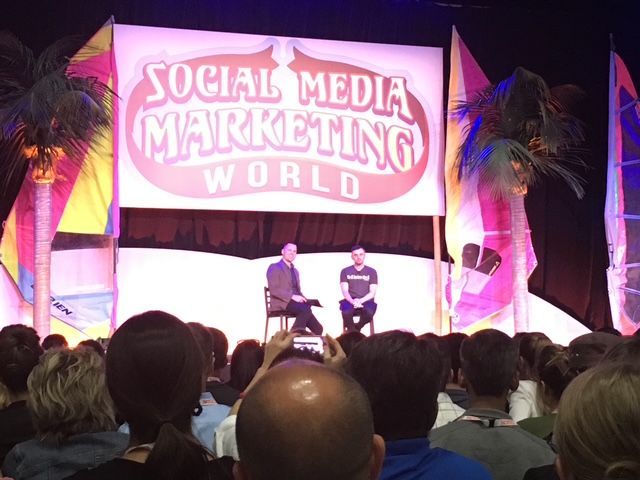
I was fortunate enough to attend one of Mari's masterclasses at Social Media Marketing World in San Diego in 2015, and I've continued following her insights ever since.
Thanks to Mari and the team at Social Media Examiner for sharing practical ideas that help businesses navigate Facebook's constant changes.
Mari has shared 15 practical ideas for working around Facebook's new restrictions, and her article is well worth reading.
Further reading:
- Mari Smith: Facebook's New 2-Link Limit: 15 Smart Ways to Keep Driving Traffic
- Social Media Examiner: What's Next for Facebook? 4 Changes Businesses Can't Ignore
Written by Karen Hawkes,
Director, Captovate.

Need help to work out your strategy?
Keeping up with social media is just one part of running a business, and the rules seem to change constantly.
At Captovate, we help businesses make sense of their digital marketing options and focus on what's actually worth their time and investment.
If you'd like to review your social media strategy or explore better ways to connect with your customers, we'd be happy to chat.